Calendar & availability
The Calendar page is your whole studio's month at a glance: client bookings, committed shoot days, and the dates your open leads are hoping for. Its second tab, Availability, holds the rules that decide what clients can book while you sleep.
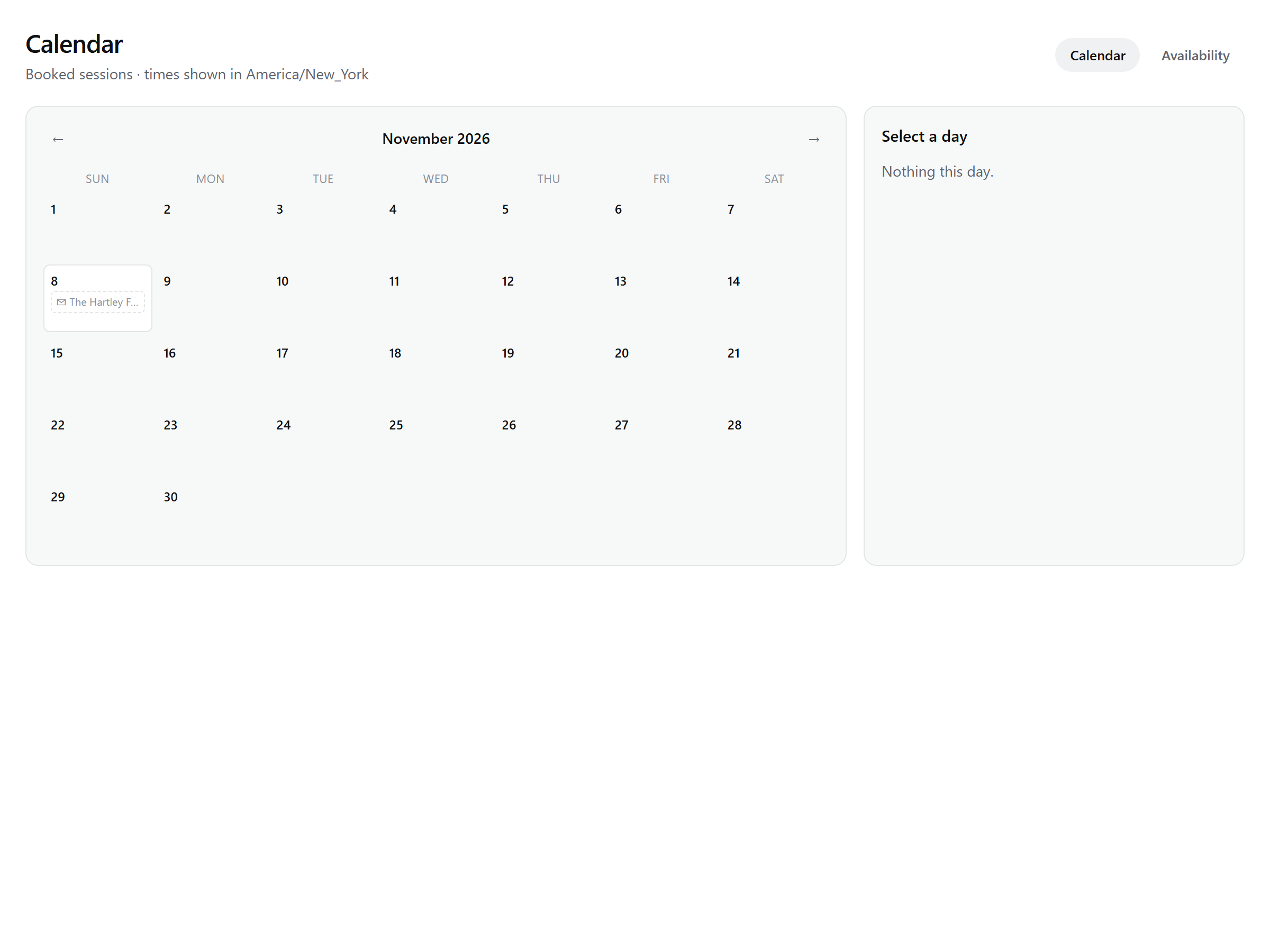
The month grid
Move between months with the arrows — the month is kept in the URL, so you can bookmark a packed season. Times show in your studio's timezone, and the view refetches itself on navigation and whenever the tab regains focus: a client who books from your booking page while you have Snap open appears without a manual refresh. Each day cell shows up to two pills with a "+N more" overflow; canceled bookings collapse into a struck-through count rather than cluttering the day. Click a day and the panel beside the grid shows everything on it.
Three kinds of entries
| Pill | What it is | Clicking through |
|---|---|---|
| Booking — highlighted pill with the time and client name | A slot a client booked through your booking page or embed. | The day panel shows the client, the payment state (unpaid, deposit, paid), any "moved from" note, and the actions: reschedule, cancel, and the client's manage link. See Managing bookings. |
| Committed shoot day — green pill with a camera | A project in Booked or Snapping with an event date this month. Converted leads land here, so the calendar reflects everything the studio actually holds. | A "Booked — shoot day" or "Snapping — shoot day" card that opens the project. |
| Dated open lead — dashed, tentative pill | A lead still in new or replied that carries an event date. Nothing is held yet. | A "Tentative — lead" card that opens the lead record — convert to turn the dashed pill into a committed day, or open the conversation in the inbox to reply. |
Note: The date a lead mentions is a wish, not a hold — nothing blocks other clients from booking that day until the lead converts into a booking or project.
Availability
The Availability tab above the grid is where the rules live. Weekly hours are set per weekday — morning and evening windows on the same day are fine, and a day with no windows is simply unavailable. Alongside them, booking settings shape every slot: slot length (60 minutes by default), buffer between bookings, lead time (24 hours by default — bookable from tomorrow), and how far ahead the calendar opens (180 days by default).
Clients never see these rules — they see the result. Their booking calendar is the same engine, so a blacked-out day or a booked slot just shows as unavailable.
Blackout dates
Below the booking settings, blackout dates take whole days off the table — holidays, shoots you've blocked for yourself, days off. No slots are offered on a blackout date regardless of your weekly hours. Add a date and remove it later with one click on its chip.
Session types live in Templates
The Availability tab keeps a pointer to them: Session types live under Templates now — duration, price, deposit, and booking questions are managed in Templates → Session types, and Calendar keeps your availability. Each type can override the studio defaults — its own slot length, buffer, lead time, and horizon, its own hours or the shared ones, and its own deposit — so a 45-minute mini session and a full-day wedding book differently on the same page. Free includes one session type, Lite three, Studio and above unlimited.