Projects & pipeline
Projects are the work. Every converted lead and every confirmed booking creates one automatically, and it lands as a card on the projects board — the pipeline your whole studio runs on.
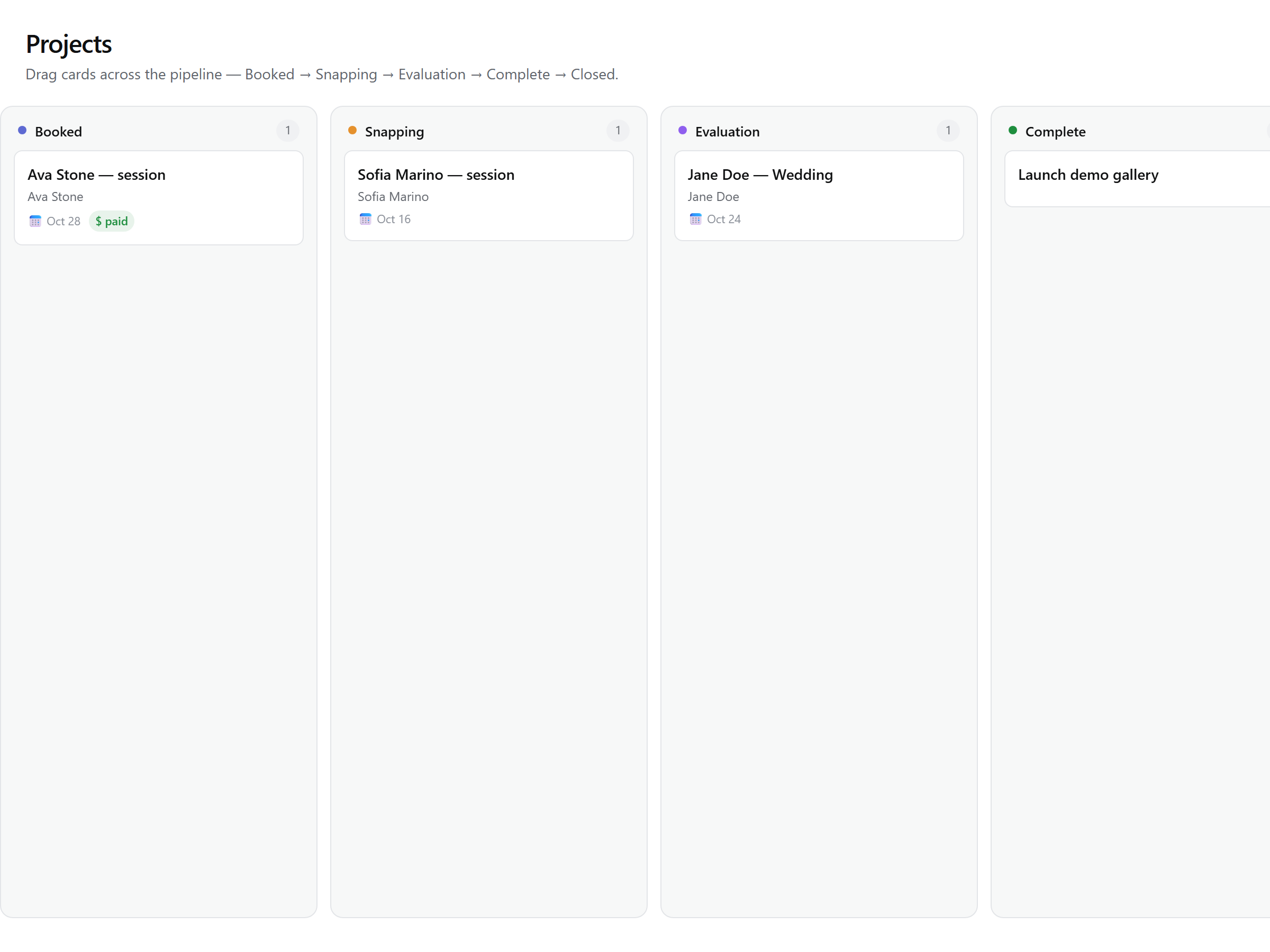
The board
Six lanes, left to right, each with its own accent color and a live count. A card shows the project title (linked straight to the hub), the client's name or email, the event date, and — once you've set a quote total — a payment badge: unpaid, partial, paid, or overpaid, derived from the money actually collected.
| Status | What it means |
|---|---|
| Booked | Confirmed work with a date ahead of you. Every new project starts here. |
| Snapping | The event day has arrived — the shoot is on. |
| Evaluation | The shoot is behind you; culling and editing are under way. |
| Complete | Delivered. Moving here emails the client their photos-delivered note. |
| Closed | Fully wrapped — delivered and settled. |
| Canceled | The job died (a refund, a client cancellation). Kept for the record, not deleted. |
Moving projects
Drag a card to any lane — the board updates immediately, confirms what changed in a quiet notice, and rolls back with an error if the move fails. The status badge in a project's header opens the same Move to menu with friendlier names: Snapping reads In editing, Evaluation reads In review, Complete reads Delivered. Same states, two surfaces.
The one automation
Nothing moves by itself except one thing: a nightly sweep advances every Booked project whose event date has arrived into Snapping, leaving the note Automatic: event day reached in the timeline. Projects without an event date sit still until you set one — the Add event date control in the project header re-arms the sweep. Everything else on the board moves because you moved it.
Nothing is terminal
Every move is free and reversible — including out of Closed and Canceled. A mis-drag costs nothing; a client who rebooks comes right back onto the board. Canceled is a normal status for dead jobs (refunding a booking cancels its project and lands it there), not a graveyard.
Complete is the one status with consequences
Note: Committed shoots — Booked and Snapping projects with an event date — also appear on the calendar, so the board and the schedule always agree.