The project hub
Open any project and everything about that job is in one place: the details, the files, the gallery, the money, the contracts, and the full history — six tabs, each loading only its own data so the hub stays fast on jobs with thousands of files.
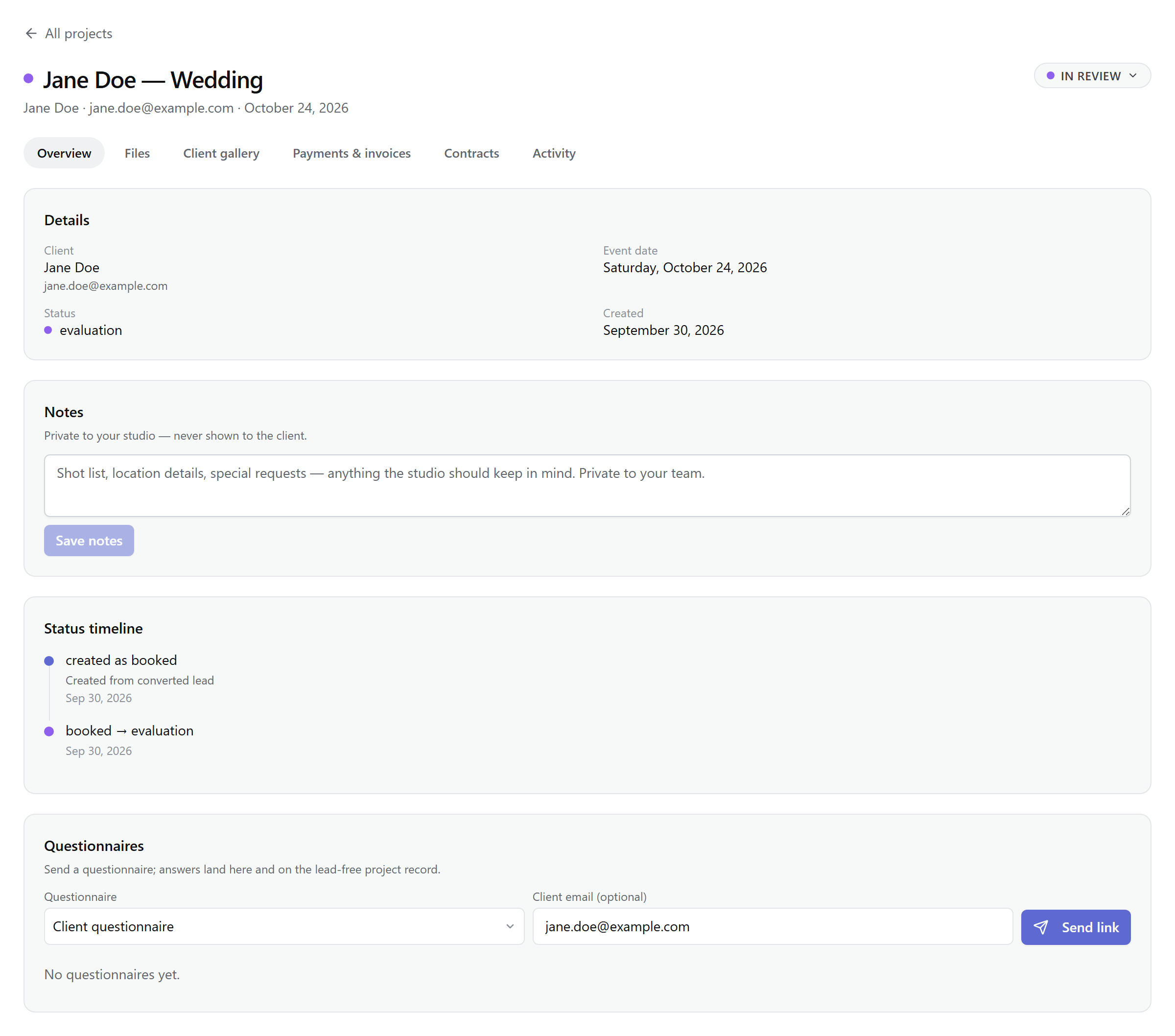
The header
The title carries the status dot; beside it sit the client's name, email, and event date. The status badge opens the Move to menu, and if the project has no event date yet, an Add event date control appears — undated projects never auto-advance. Tabs are real URLs (?tab=files), so any view is bookmarkable and shareable with a teammate.
The tabs
In order: Overview, Files, Client gallery, Payments & invoices, Contracts, Activity.
Overview
The details card (client, event date, status, created), the status timeline with every transition and its note, and Notes — private to your studio, never shown to the client: shot lists, location details, anything. Questionnaires live here too: pick a template, send the client a private link (copy it or email it), and their answers land on the project the moment they submit. Pending shows until they do.
Files
The workspace. Drop files anywhere to upload — a queue tracks progress, retries failures, and pauses on demand, and a duplicate check offers to skip identical files before they upload twice. Filter by status, type, tags, star ratings, or color labels; sort; work in grid or list. File shots into folders (up to 100 per project) by dragging; deleted folders return files to Unfiled. Triage mode is fast culling — approve, reject, and star with the keyboard. Files in an active client gallery are locked, and the share panel delivers approved files or whole folders without leaving the tab.
Client gallery
Design the gallery (cover, layout, theme — the design layer is Lite and above), see who opened it, and send the link: the client verifies by email code, and you can revoke or rotate it any time. Deliver whole folders, and override the studio watermark per project. The full surface is covered in Delivering galleries.
Payments & invoices
Set the quote total and the project derives its money state — unpaid, partial, paid, or overpaid — the same badge shown on the board. Stripe booking payments can be refunded (the booking cancels, the client is emailed, and you choose whether files go now or galleries stay until expiry); record manual payments by cash, e-transfer, cheque, or offline card, with void for mistakes. Refunds stop once work has begun — no refund after the project leaves Booked, and disputes freeze them entirely. Invoices compose from the quote or a preset, then send as a branded PDF with a secure client link.
Contracts
Draft from a template or the starter agreement, merge fields fill at send and freeze, and Send for signature emails the client a private link. Statuses run draft → sent → signed, with void to kill a link; the signed PDF stays on the project. Details in Contracts & e-signing.
Activity
One chronological feed from three streams: pipeline moves (from → to, with notes), client gallery access (opened the gallery, requested a verification code, verified, downloaded a file), and the studio audit trail — payments and refunds, bulk curation runs, notes edits, gallery links created or rotated, RAW vault moves. Blocked actions show as blocked, with the reason.
The hub guards work in flight
Note: Nothing on the hub is shown to clients directly — they see their side through the client portal, galleries, and signing links.